
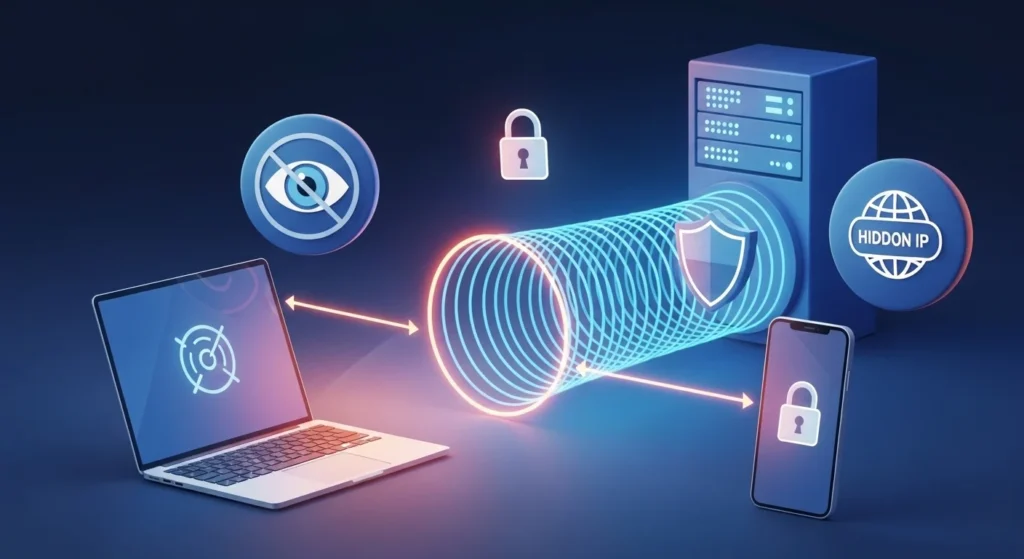

A VPN stands for Virtual Private Network.
In simple terms, a VPN creates a secure, encrypted connection between your device and the internet, hiding your identity and protecting your data.
Think of it like this:
Without a VPN, your internet activity is like sending postcards anyone can read.
With a VPN, it becomes a sealed envelope only the recipient can open.
That’s the core of vpn meaning. It’s about privacy, security, and control over your internet connection.
Quick Summary
- VPN = Virtual Private Network
- It encrypts your internet connection
- It hides your IP address
- It protects your privacy
- It’s useful but not perfect anonymity
VPN Meaning Explained in Simple Terms

Let’s break it down so it actually makes sense.
Virtual
“Virtual” means it’s not a physical network like cables in your house. It exists digitally.
Private
“Private” means your connection is protected and hidden from outsiders.
Network
“Network” refers to the internet connection that links your device to websites.
Put together:
A VPN is a private, secure digital pathway that protects your internet activity.
Simple Analogy You’ll Remember
Imagine you’re traveling through a busy city.
- Without VPN → You walk in public streets. Everyone can see you.
- With VPN → You move through a private underground tunnel. No one knows where you are.
That’s exactly how a VPN works online.
What Does a VPN Do? (Core Functions Explained)
A VPN isn’t just a buzzword. It performs very specific technical tasks.
Key Functions of a VPN
- Hides your IP address
- Encrypts your internet traffic
- Protects your data on public WiFi
- Prevents tracking by websites and apps
What Happens When You Turn on a VPN?
Here’s what changes instantly:
- Your real location becomes hidden
- Your data becomes encrypted
- Your connection becomes secure
Core Benefits at a Glance
| Feature | What It Means for You |
|---|---|
| IP Masking | Websites can’t see your real location |
| Encryption | Hackers can’t read your data |
| Privacy | Tracking becomes harder |
| Security | Safer browsing on public WiFi |
How a VPN Works (Step-by-Step Breakdown)
Let’s simplify the technical process.
Step-by-Step Flow
- You open a VPN app
- You connect to a VPN server
- Your data gets encrypted
- Data travels through a secure tunnel
- Website sees the VPN server’s IP instead of yours
Visual Flow Diagram
Your Device → Encrypted Tunnel → VPN Server → Internet
What Is Encryption?
Encryption scrambles your data into unreadable code.
Even if someone intercepts it, they see random characters, not your real information.
What Is a VPN Server?
A VPN server acts as a middleman between you and the internet.
- It replaces your IP address
- It hides your real identity
- It routes your traffic securely
Types of VPN (Quick Breakdown That Actually Matters)
Not all VPNs are the same. Here are the main types you should know.
Remote Access VPN
- Used by individuals
- Connects you to a private network remotely
- Common for work-from-home setups
Site-to-Site VPN
- Used by companies
- Connects entire networks together
- Example: office branches
Mobile VPN
- Designed for smartphones
- Works across unstable networks
- Maintains connection even when switching networks
Comparison Table
| Type | Best For | Real Example |
|---|---|---|
| Remote Access | Personal use | Secure browsing |
| Site-to-Site | Businesses | Office connections |
| Mobile VPN | Phone users | App security |
What Does VPN Mean on Different Devices
You’ve probably seen “VPN” on your phone and wondered what it means.
What Does VPN Mean on iPhone
On iPhone, VPN appears in Settings.
- It shows when a VPN is active
- You can manually turn it on or off
- Some apps enable it automatically
What Does VPN Mean on Android
Android works similarly:
- Built-in VPN settings
- Third-party VPN apps available
- Status icon appears when active
What Does VPN Mean in WiFi Settings
When using public WiFi:
- VPN helps secure your connection
- Prevents data theft
- Protects passwords and personal info
What Does VPN Mean on Your Phone
If your phone says “VPN active”:
Your internet traffic is currently being protected and encrypted.
Why Do People Use a VPN? (Real-World Reasons)
People don’t use VPNs just for fun. They solve real problems.
Main Reasons
- Protect personal data
- Avoid tracking
- Access restricted content
- Secure public WiFi
Real-Life Example
You’re in a café using free WiFi.
Without VPN:
- Hackers can intercept your data
With VPN:
- Your data becomes encrypted and unreadable
Key Benefits of Using a VPN
Let’s go deeper into the actual advantages.
Privacy Protection
- Hides your browsing activity
- Blocks trackers
Security
- Encrypts sensitive data
- Protects passwords and banking info
Anonymous Browsing
- Websites can’t identify you easily
- Reduces targeted ads
Safe Remote Access
- Access work networks securely
- Useful for freelancers and remote workers
Are VPNs Safe? (Honest Answer)
Yes, VPNs are safe—but not all of them.
What Makes a VPN Safe
- Strong encryption (AES-256)
- No-log policy
- Trusted provider
Risks to Watch Out For
- Free VPNs may sell your data
- Weak encryption
- Slow speeds
Quick Safety Checklist
- Choose reputable providers
- Avoid unknown free VPNs
- Check privacy policy
Does a VPN Hide Your Location?
Short answer: partially.
What It Does
- Hides your real IP address
- Shows a different location
What It Doesn’t Do
- Doesn’t make you 100% anonymous
- Apps can still track you via other methods
Is VPN Legal?
In most countries, VPNs are completely legal.
Legal Uses
- Privacy protection
- Secure browsing
- Remote work
Restrictions
Some countries limit VPN use, but for most users:
Using a VPN for privacy is perfectly legal.
Free vs Paid VPN (Which One Should You Choose?)
Not all VPNs are equal.
Comparison Table
| Feature | Free VPN | Paid VPN |
|---|---|---|
| Speed | Slow | Fast |
| Security | Basic | Advanced |
| Ads | Yes | No |
| Privacy | Risky | Safer |
Clear Recommendation
- Use free VPN → only for light usage
- Use paid VPN → for real privacy and security
When Should You Use a VPN?
You don’t need a VPN all the time, but certain situations make it essential.
Best Times to Use a VPN
- Public WiFi (cafés, airports)
- Online banking
- Traveling
- Accessing sensitive data
Do You Need a VPN at Home?
At home:
- Less risk than public WiFi
- Still useful for privacy
Common Myths About VPNs
Let’s clear up confusion.
Myth: VPN Makes You Completely Anonymous
Reality: It improves privacy but doesn’t make you invisible
Myth: VPN Always Slows Internet
Reality: Good VPNs have minimal impact
Myth: VPN Is Illegal
Reality: Legal in most countries
FAQs
What does VPN mean?
VPN (Virtual Private Network) is a service that encrypts your internet connection and hides your IP address.
What does VPN mean on iPhone?
On iPhone, VPN means your internet connection is secure and encrypted through a private network.
What does VPN mean on your phone?
It means your phone is routing internet traffic through a secure and private network.
VPN what does it mean?
VPN stands for Virtual Private Network, which provides privacy and security online.
What does VPN on iPhone mean?
It shows your iPhone is connected to a VPN for secure internet access.
What does VPN mean on my phone?
It means your phone is connected to a VPN to protect your data.
What does VPN mean?
VPN is a technology that encrypts your internet traffic for better privacy.
What does VPN configuration mean?
It refers to the settings required to set up and connect to a VPN.
What does Onion over VPN mean?
It means using the Tor network over a VPN connection for enhanced anonymity.
What does VPN mean on iPad?
It indicates your iPad is using a VPN for a secure connection.
What does VPN mean on my iPhone?
It means your iPhone is connected to a VPN to secure internet activity.
What does OpenVPN mean?
OpenVPN is an open-source protocol used to create secure VPN connections.
What does VPN not connected mean?
It means your device is not currently connected to a VPN.
What does a VPN mean?
A VPN is a tool that creates a secure and private internet connection.
What does VPN mean on phone?
It shows your phone is connected to a VPN for safe browsing.
What does VPN mean on my laptop?
It means your laptop is using a VPN to secure internet traffic.
Conclusion:-
Understanding what does VPN mean isn’t just about definitions.
It’s about knowing how to protect your digital life.
Every time you connect to the internet, your data is exposed. A VPN acts like a shield, keeping your information safe.
In a world full of tracking, surveillance, and data risks, using a VPN is no longer optional. It’s smart digital hygiene.
Now you know:
- What a VPN is
- How it works
- Why it matters
The next step is simple. Use that knowledge to stay secure online.