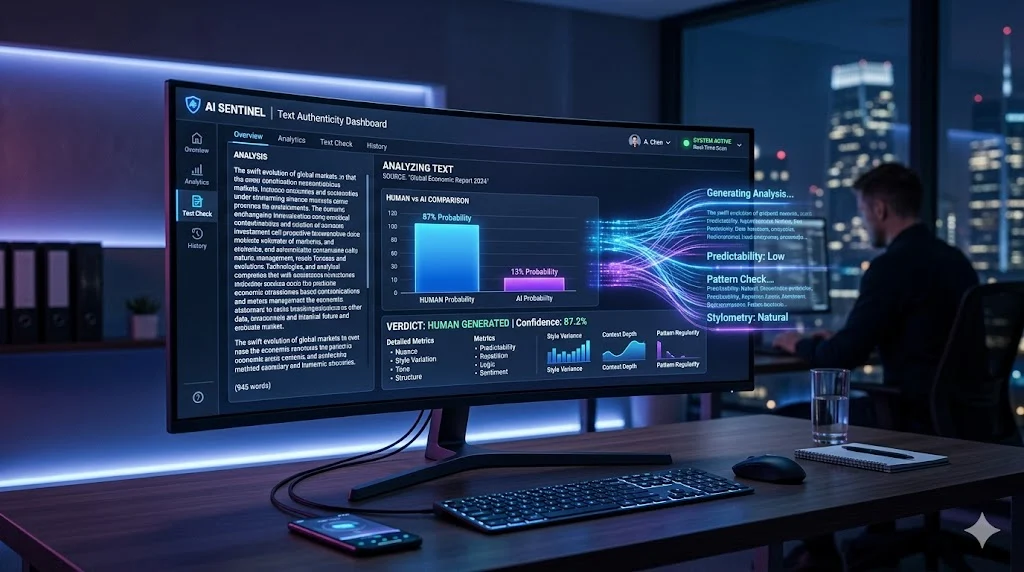

Winston AI is an advanced AI content detection tool designed to identify whether a piece of text was written by a human or generated by artificial intelligence.
At its core, it acts as both:
- A ChatGPT detector tool
- A content authenticity checker
- A plagiarism and AI checker
As AI writing tools exploded in popularity, industries needed a way to verify content authenticity. That’s where Winston AI fits in. It helps users answer a critical question:
“Was this written by a human or an AI model?”
Where Winston AI Is Used
- Academic institutions to detect AI-written assignments
- SEO agencies to validate human-written content
- Publishers to maintain credibility
- Businesses to audit outsourced writing
In simple terms, it’s a gatekeeper for content authenticity.
How Winston AI Works (Inside the Detection Engine)
Understanding how Winston AI works gives you a major advantage. You won’t just use the tool—you’ll use it intelligently.
Core Technologies Behind Winston AI
Winston AI relies on a combination of:
- Natural Language Processing (NLP)
- Machine Learning (ML) models
- Stylometry (writing pattern analysis)
- Predictive probability scoring
These systems analyze patterns that humans typically overlook.
Step-by-Step Detection Process
Here’s what happens when you scan content:
Input → Analysis → Classification → Output
- You paste text or upload a file
- The system breaks text into tokens (small units)
- It analyzes sentence structure, rhythm, and predictability
- It compares patterns against trained datasets
- It assigns a confidence score
What Winston AI Actually Detects
It doesn’t “read meaning” like a human. Instead, it detects:
- Predictability of sentence structure
- Repetitive phrasing patterns
- Lack of natural randomness (human writing is messy)
- Overly consistent tone
AI tends to write “too perfectly.” That’s its biggest weakness.
Key Features of Winston AI
Winston AI packs a focused set of features designed for real-world use.
Core Feature Breakdown
| Feature | Description | Practical Use |
|---|---|---|
| AI Content Detection | Identifies AI-generated text | Academic and SEO validation |
| Plagiarism Checker | Detects duplicate content | Publishing and research |
| Confidence Score | AI vs Human probability | Decision making |
| File Upload Support | Accepts PDF, DOCX | Bulk analysis |
| Dashboard Reports | Visual insights | Client reporting |
| Multi-language Support | Detects beyond English | Global use |
Advanced Capabilities
- Real-time scanning
- Batch processing for multiple documents
- API integration for automation
- Clean dashboard for easy navigation
Winston AI Accuracy: How Reliable Is It?
This is the question everyone cares about.
Short Answer
Winston AI is accurate—but not perfect.
What Affects Accuracy
Several factors influence detection results:
- Edited AI content becomes harder to detect
- Short text samples reduce accuracy
- Mixed human + AI content confuses models
- Creative writing styles may trigger false positives
Realistic Accuracy Expectations
| Content Type | Accuracy Level |
|---|---|
| Raw AI content | High |
| Lightly edited AI | Medium |
| Heavily humanized AI | Low |
| Pure human writing | Usually accurate |
Important Insight: No AI detector is 100 percent reliable. Always combine tools with human judgment.
Can Winston AI Detect ChatGPT Content?
Yes—but there’s nuance.
When It Works Well
- Detecting raw ChatGPT outputs
- Identifying structured, predictable text
- Flagging overly polished content
Where It Struggles
- Human-edited AI content
- Text rewritten with variation
- Content with personal anecdotes
Example Comparison
| Content Type | Detection Result |
|---|---|
| Raw ChatGPT text | High AI probability |
| Edited version | Medium probability |
| Humanized version | Low probability |
Winston AI Pricing (Free vs Premium)
Pricing determines how useful the tool becomes.
Free Plan
- Limited scans
- Basic detection
- Restricted features
Premium Plans
| Plan Type | Features | Best For |
|---|---|---|
| Starter | More scans | Individuals |
| Professional | Full features | Writers & SEO experts |
| Enterprise | API + bulk scans | Agencies |
What You Actually Pay For
- More scan credits
- Advanced reporting
- Better workflow tools
Winston AI Free Trial: What You Get
The free trial gives you a taste of the platform.
Included
- Limited detection credits
- Access to dashboard
- Basic reporting
Limitations
- Not suitable for heavy use
- Restricted insights
Think of it as a “test drive,” not a full solution.
How to Use Winston AI Detector (Step-by-Step)
Using Winston AI is straightforward.
Step-by-Step Workflow
- Sign up and log in
- Access the dashboard
- Paste text or upload a file
- Click “Scan”
- Review results
Process Flow
Text Input → AI Analysis → Score Generation → Report → Decision
Pro Tip
Always scan longer content blocks for better accuracy.
Understanding Winston AI Results (Score Explained)
The results are based on probability—not certainty.
Score Interpretation
| Score Range | Meaning |
|---|---|
| 80–100% AI | Likely AI-generated |
| 50–79% | Mixed or uncertain |
| 0–49% | Likely human-written |
What “Flagged Content” Means
- The system detects AI-like patterns
- It does NOT prove authorship
- It signals a probability
Treat scores as indicators, not final verdicts.
Winston AI Use Cases (Who Should Use It)
Winston AI serves multiple industries.
Students
- Check assignments before submission
- Avoid false accusations
Teachers
- Detect AI-generated essays
- Maintain academic integrity
Content Writers
- Ensure content appears human
- Improve readability and tone
SEO Experts
- Align with search engine guidelines
- Reduce AI detection risks
Publishers
- Verify outsourced content
- Maintain editorial standards
Winston AI vs Competitors
Comparison reveals where Winston AI stands.
Winston AI vs GPTZero
| Feature | Winston AI | GPTZero |
|---|---|---|
| Accuracy | High | Moderate |
| Interface | Modern | Basic |
| Reports | Detailed | Limited |
Winston AI vs Turnitin
| Feature | Winston AI | Turnitin |
|---|---|---|
| Audience | General users | Academic institutions |
| Integration | Limited | Deep LMS integration |
| Cost | Flexible | Expensive |
Vs Copyleaks / Originality AI
| Feature | Winston AI | Others |
|---|---|---|
| Ease of use | High | Moderate |
| SEO focus | Strong | Varies |
| API support | Available | Strong |
Pros and Cons of Winston AI
Advantages
- Easy to use interface
- Fast analysis
- Clear reporting system
Limitations
- Not fully accurate
- Limited free version
- Can misclassify human writing
Best Alternatives to Winston AI
You should never rely on a single tool.
Top Alternatives
| Tool | Best For | Free Option |
|---|---|---|
| GPTZero | Students | Yes |
| Copyleaks | Businesses | Limited |
| Originality AI | SEO professionals | No |
When to Use Alternatives
- Need higher accuracy
- Want multiple verification layers
- Require deeper analytics
Is Winston AI Reliable in 2026?
Here’s the honest answer.
Where It Excels
- Initial content screening
- Quick analysis
- User-friendly experience
Where It Falls Short
- Detecting edited AI content
- Providing absolute certainty
The smartest approach is combining tools with human review.
Pro Tips to Pass AI Detection Tools
If you create content, this matters.
Effective Strategies
- Rewrite AI-generated text manually
- Add personal insights and stories
- Vary sentence structure
- Use natural phrasing
What to Avoid
- Repetitive patterns
- Overly perfect grammar
- Predictable sentence flow
Frequently Asked Questions
Is Winston AI free or paid?
It offers both free and paid plans. Free access is limited.
Does Winston AI detect ChatGPT?
Yes, especially raw AI-generated content.
How accurate is Winston AI?
Accuracy varies depending on content type and editing level.
Can teachers use Winston AI?
Yes. It’s widely used for academic integrity checks.
How to check AI content with Winston AI?
Paste text, run a scan, and analyze the score.
Final Verdict: Should You Use Winston AI?
Winston AI is a powerful starting point for AI detection.
It works best when you:
- Need quick insights
- Want a user-friendly tool
- Require basic verification
However, it shouldn’t be your only solution.
Best Strategy
Use Winston AI alongside:
- Human editing
- Additional detection tools