
Artificial intelligence keeps reshaping how you create content. Text becomes images. Images become videos. And now tools like Hailuo AI push that shift even further.
If you’ve searched for hailuo ai video generator, minimax hailuo ai, or even the viral hailuo ai kiss trend, you already know this platform is gaining serious traction.
This guide gives you everything:
- What Hailuo AI actually is
- How its video generation works
- Real feature breakdown
- Prompt strategies that produce better results
- Pricing details and free access
- App availability
- Legit vs group buy risks
- Honest pros and cons
- Comparisons with major competitors
No fluff. No vague filler. Just practical insight you can use immediately.
What Is Hailuo AI?
Hailuo AI is an AI-powered video generation platform developed under MiniMax, a company known for building large-scale generative AI systems.
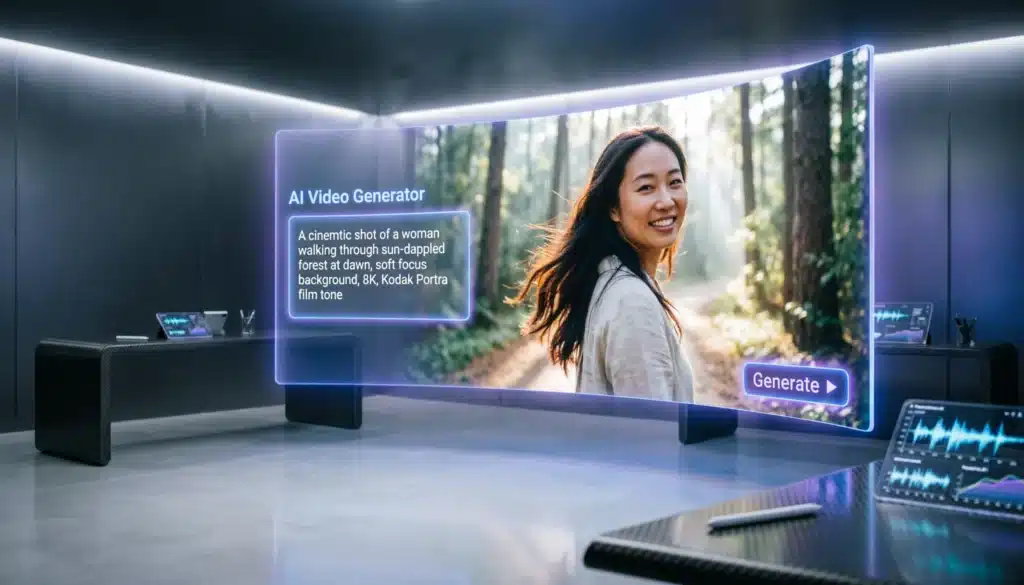
Unlike traditional video editors, Hailuo AI doesn’t require cameras, actors, or animation skills. You describe a scene in text. The system generates a moving video clip.
Think of it as:
A prompt-based AI cinematic engine that converts text and images into animated video sequences.
It belongs to the new generation of:
- AI video generators
- Text-to-video AI tools
- Image-to-video animation systems
- Prompt-driven creative platforms
Minimax Hailuo AI Platform Overview
The term Minimax Hailuo AI often confuses users. Here’s the clarification.
- MiniMax is the parent AI company.
- Hailuo AI is the video generation product.
- It operates as a cloud-based AI SaaS platform.
You access it through the web interface. No heavy installation. No GPU requirement on your end.
Platform Architecture
Hailuo AI uses:
- Deep learning video diffusion models
- Neural rendering systems
- Motion consistency algorithms
- Prompt-based semantic understanding
When you type a prompt, the system:
- Interprets the text using NLP models
- Breaks it into visual components
- Generates keyframes
- Synthesizes motion between frames
- Renders final video output
All within minutes.
How Hailuo AI Video Generation Works
Let’s simplify the process.
Text to Video AI Workflow
You type something like:
“A cinematic slow-motion shot of a couple walking in the rain under neon city lights, dramatic lighting, 4K realism.”
The AI extracts:
- Subjects: couple
- Environment: rainy neon city
- Motion: slow walking
- Camera style: cinematic slow-motion
- Lighting: dramatic
- Quality: high resolution
It then generates a short animated video clip.
Image to Video Animation
Upload a static image. Add motion instructions.
For example:
- “Make the character blink and smile.”
- “Add camera zoom-in.”
- “Create wind movement in hair.”
The system animates the still image.
Hailuo AI Video Generator Features
This section breaks down the actual, functional features of the Hailuo AI tool.
Text to Video Generation
The core feature.
You input a prompt. The AI creates a short video scene.
Capabilities include:
- Scene composition
- Character generation
- Background depth
- Lighting simulation
- Motion prediction
- Cinematic style rendering
Strengths
- Good motion realism
- Stable character consistency
- Cinematic framing
- Emotional facial animation
Limits
- Short clip duration
- Complex action scenes may distort
Image to Video Conversion
Hailuo AI supports image-to-video animation.
You can:
- Animate portraits
- Create subtle facial movements
- Add environmental motion
- Generate dynamic camera pans
This feature is popular in:
- Social media content
- Anime edits
- AI short films
Prompt-Based Control System
Unlike basic AI tools, Hailuo AI responds strongly to structured prompts.
You can control:
- Camera angle
- Depth of field
- Lighting style
- Lens type
- Time of day
- Emotion
- Weather effects
Example structured prompt:
“Close-up shot, shallow depth of field, golden sunset lighting, emotional expression, slow cinematic zoom.”
Results improve dramatically when you structure prompts clearly.
Video Output Settings
| Feature | Details |
|---|---|
| Duration | Short-form clips |
| Resolution | HD to high quality outputs |
| Rendering Speed | Minutes per generation |
| Export | Downloadable MP4 format |
| Aspect Ratio | Landscape & vertical formats |
It’s optimized for:
- Reels
- Shorts
- TikTok
- Ads
Hailuo AI Video Generation Prompt Guide
If your videos look average, the problem is usually the prompt.
Let’s fix that.
The Ideal Prompt Formula
Use this structure:
Subject + Action + Environment + Camera + Lighting + Mood + Style
Example:
“A young warrior standing on a mountain cliff, wind blowing cape, wide cinematic shot, sunset lighting, epic atmosphere, ultra-realistic style.”
This gives the AI:
- Clear subject
- Clear movement
- Defined camera instruction
- Emotional direction
Advanced Prompt Techniques
You can improve output by adding:
- Motion keywords: slow pan, dynamic tilt, handheld camera
- Emotional tone: intense, joyful, dramatic
- Texture detail: realistic skin texture, fabric movement
- Environmental depth: fog particles, rain reflections
Better prompts create better videos.
Hailuo AI Kiss Trend Explained
The phrase “Hailuo AI kiss” became viral because users discovered the AI could generate romantic cinematic scenes with strong emotional realism.
Common elements in these prompts:
- Close-up camera shots
- Soft lighting
- Slow motion
- Emotional expressions
The trend spread across short-form video platforms.
However, you should remain aware of:
- Ethical use
- Consent-based imagery
- Platform content policies
How to Use Hailuo AI Video Generator
Here’s the clean step-by-step workflow.
Accessing the Hailuo AI Official Website
- Visit the web platform
- Create an account
- Verify login
- Access dashboard
Creating Your First Video
Inside the dashboard:
- Click “Create”
- Enter structured prompt
- Choose style
- Select resolution
- Generate
Rendering takes minutes depending on demand.
Downloading the Output
Once ready:
- Preview video
- Download MP4
- Share or edit further
Hailuo AI App and Software Availability
Many users search for Hailuo AI app or Hailuo AI download.
Current availability:
- Web-based access
- No heavy desktop installation required
- No confirmed native mobile app version
- Optimized for browser use
This means:
You don’t need powerful hardware.
Hailuo AI Pricing Breakdown
Let’s talk money.
Is Hailuo AI Free?
Yes, limited access.
The Hailuo AI free plan typically includes:
- Limited generation credits
- Watermarked outputs
- Standard rendering queue
Free tier works for testing.
Paid Plans
While exact tiers may vary, paid access generally includes:
| Feature | Free Plan | Paid Plan |
|---|---|---|
| Credits | Limited | Expanded |
| Watermark | Yes | Removed |
| Rendering Speed | Standard | Priority |
| Commercial Rights | Limited | Expanded |
| Resolution | Standard | Higher Quality |
Pricing follows a credit-based model.
More generations = more credits used.
Hailuo AI Free Trial
Some users receive:
- Bonus starting credits
- Trial generation access
This allows evaluation before committing financially.
Hailuo AI Group Buy: Is It Safe?
“Group buy” refers to shared account purchases.
Risks include:
- Account suspension
- Security breaches
- Payment disputes
- Loss of access
AI platforms monitor unusual login behavior.
Using unofficial shared accounts can permanently disable access.
Hailuo AI Pros and Cons
Let’s stay honest.
Pros
- Strong cinematic realism
- Fast rendering
- Beginner-friendly interface
- Solid motion generation
- Excellent short-form content creation
Cons
- Short clip limits
- Credit-based cost model
- Limited advanced manual editing
- Complex scenes may glitch
Hailuo AI vs Other AI Video Generators
Let’s compare it with major tools:
- Runway Gen-3
- Pika Labs
- Luma Dream Machine
Feature Comparison Table
| Feature | Hailuo AI | Runway Gen-3 | Pika Labs | Luma Dream Machine |
|---|---|---|---|---|
| Text to Video | Yes | Yes | Yes | Yes |
| Image to Video | Yes | Yes | Yes | Yes |
| Cinematic Quality | High | High | Medium | High |
| Ease of Use | Easy | Moderate | Easy | Moderate |
| Free Access | Limited | Limited | Limited | Limited |
| Rendering Speed | Fast | Fast | Moderate | Fast |
Hailuo AI stands strong in short cinematic output.
Who Should Use Hailuo AI?
Ideal for:
- Social media creators
- Marketing agencies
- Indie filmmakers
- AI experimenters
- Ad creators
Not ideal for:
- Long-form movie production
- Advanced VFX-heavy workflows
- Frame-by-frame animators
Is Hailuo AI Safe and Legit?
The platform operates under:
- Secure account systems
- Standard cloud SaaS model
- AI moderation layers
You should:
- Avoid group buys
- Use official access
- Review commercial license terms
Frequently Asked Questions
Is Hailuo AI free?
Yes, limited free credits available.
Can I use Hailuo AI commercially?
Paid plans generally expand commercial usage rights.
Does Hailuo AI remove watermark?
Paid subscriptions remove watermark.
How long are Hailuo AI videos?
Primarily short-form clips.
Is Minimax Hailuo AI available globally?
Availability may depend on region and account access.
Final Verdict: Is Hailuo AI Worth It?
If you want:
- AI cinematic short videos
- Fast text-to-video generation
- Viral-ready social clips
- Strong emotional realism
Then Hailuo AI delivers real value.
It isn’t a full film studio replacement.
It’s a powerful AI video generator designed for modern creators.
Used correctly, with strong prompts, it can produce:
- Ad-ready content
- Story-driven shorts
- Emotional character scenes
- Engaging visual storytelling
The key isn’t just the tool.
The key is how you prompt it.
And now you know exactly how to do that.